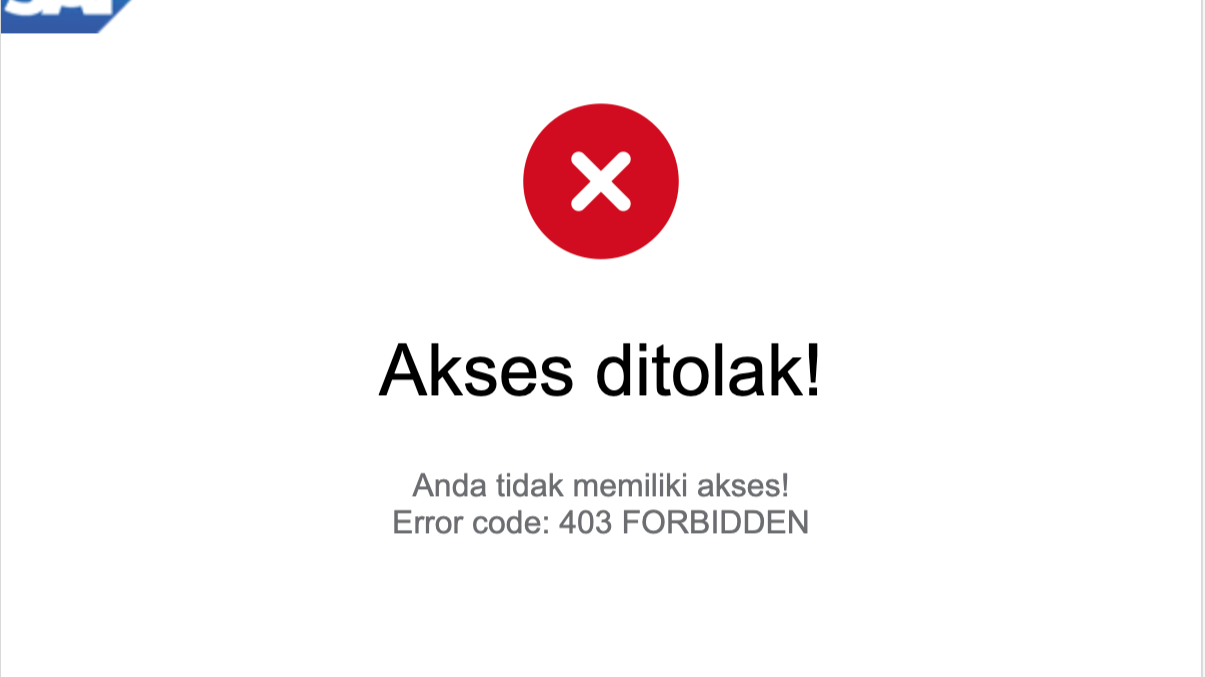
 Our custom forbidden access page when user failed to login using SSO
The Problem
We've just updated our SAP Commerce (SAP Hybris) patch version, from 2205.36 to 2205.40. After updating, we soon discovered the user is unable to log in to Backoffice, HAC, and Smartedit using SSO. There's this error in the log:
java.lang.IllegalArgumentException: password cannot be more than 72 bytes
 at org.springframework.security.crypto.bcrypt.BCrypt.hashpw(BCrypt.java:616)
 at org.springframework.security.crypto.bcrypt.BCrypt.hashpw(BCrypt.java:603)
 at org.springframework.security.crypto.bcrypt.BCrypt.hashpw(BCrypt.java:593)
 at org.springframework.security.crypto.bcrypt.BCryptPasswordEncoder.encode(BCryptPasswordEncoder.java:110)
 at de.hybris.platform.persistence.security.SpringPasswordEncoder.encode(SpringPasswordEncoder.java:18)
 at de.hybris.platform.jalo.user.UserManager.getEncodedPasswordWithSalt(UserManager.java:1602)
 at de.hybris.platform.jalo.user.EnhancedTokenGenerator.generateToken(EnhancedTokenGenerator.java:52)
 at de.hybris.platform.jalo.user.UserManager.doGenerateLoginTokenCookieValue(UserManager.java:1572)
 at de.hybris.platform.jalo.user.UserManager.generateLoginTokenCookieValue(UserManager.java:1546)
 at de.hybris.platform.jalo.user.UserManager.storeLoginTokenCookie(UserManager.java:1648)
 at de.hybris.platform.samlsinglesignon.DefaultSamlLoginService.storeLoginToken(DefaultSamlLoginService.java:59)
 at de.hybris.platform.samlsinglesignon.security.Saml2UserFilter.doFilterInternal(Saml2UserFilter.java:61)
These error logs indicate that there are some breaking changes on the patch 2205.40 (could be 2205.37, 2205.38, or 2205.39, since I'm not testing using those versions, I assume this happens starting 2205.40).
The Root cause
Upon inspection, I notice patch 2205.36 is using spring-security-crypto-5.8.11, while patch 2205.40 is using spring-security-crypto-5.8.19. And comparing hashpw methods on class org.springframework.security.crypto.bcrypt.BCrypt, I notice this difference:
BCrypt.hashpw() on 5.8.11:
if (salt == null) {
    throw new IllegalArgumentException("salt cannot be null");
} else {
    ...........
While BCrypt.hashpw() on 5.8.19:
if (!for_check && passwordb.length > 72) {
    throw new IllegalArgumentException("password cannot be more than 72 bytes");
} else if (salt == null) {
    throw new IllegalArgumentException("salt cannot be null");
} else {
    ...........
As you can see, in 5.8.19, there's an additional if statement that checks for the password length. I can understand these changes because, after some reading, it turns out bcrypt will only process the first 72 bytes, and if you give it more than 72 bytes, the 73rd byte and so on will be ignored. Surely this is a major security concern.
Now, if this is a known issue, why does Hybris still pass more than 72 bytes to BCrypt?
The code that was responsible for this was this:
package de.hybris.platform.jalo.user;

public class EnhancedTokenGenerator extends AbstractTokenGenerator {
    ...........
    public String generateToken(TokenParams params) throws EJBPasswordEncoderNotFoundException {
        ...........
        String encodedPassword = this.getEncodedPassword(params);
        String salt = this.getNextSaltString();
        String encodedPasswordWithSalt = UserManager.getInstance().getEncodedPasswordWithSalt(params.getUser(), encodedPassword, salt); // those error were thrown from this line
        ...........
        return this.encodeToken(new String[]{userPk, languageIsoCode, encodedPasswordWithSalt, ttlTimestamp, salt, randomGeneratedTokenPart}, params.getDelimiter());
    }
    ...........
}
Then this.getEncodedPassword(params) was calling this method:
package de.hybris.platform.jalo.user;

public class UserManager extends Manager {
    ...........
    protected String getEncodedPasswordForLoginCookie(String uid, String plainTextPassword, User user) throws EJBPasswordEncoderNotFoundException {
        if (plainTextPassword != null) {
            return this.getLoginTokenPasswordEncoder(user).encode(uid, plainTextPassword);
        } else {
            return this.isPlainTextPasswordStored(user) ? this.getLoginTokenPasswordEncoder(user).encode(user.getUID(), user.getEncodedPassword()) : user.getEncodedPassword();
        }
    }
    ...........
}
In my case, since the original password was already hashed using BCrypt, that method will return user.getEncodedPassword(), and since it was already BCrypt hashed, the encoded password is already 60 bytes long, only 12 bytes left for additional salt!
But.... let's check the getNextSaltString() method:
package de.hybris.platform.jalo.user;

public class EnhancedTokenGenerator extends AbstractTokenGenerator {
    ...........
    private String getNextSaltString() {
        return Base64.encodeBytes(getNextSalt(), 8);
    }

    private static byte[] getNextSalt() {
        byte[] salt = new byte[16];
        RANDOM.nextBytes(salt);
        return salt;
    }
    ...........
}
See the problem already? The getNextSalt() method generates a byte array 16 in length. Even 60 + 16 is 76, already more than 72 bytes 🙃, now encode it with Base64 and you will get 24 bytes String. Waaayyy more than the limit of 72 bytes.
Okay, now that we have the root cause, let's go into the solution.
The Solution
Changing the config
For us, it's quite easy, since we always set a random password with default encoder every time a user logs in using SSO (this is to force users to log in using SSO), we just need to change this config:
default.password.encoding=argon2
And now everything is able to log in to the Backoffice and others using SSO.
Resetting passwords for all users
You don't set a random password every time a user logs in? Fine, then you can reset the password manually using a groovy script. You can write a script that queries for all employees, and then set the password with some other encoding, like Argon2. The example script:
import de.hybris.platform.core.model.user.EmployeeModel
import de.hybris.platform.servicelayer.search.FlexibleSearchQuery
import de.hybris.platform.servicelayer.search.SearchResult
import org.apache.commons.collections.CollectionUtils

flexibleSearchService = spring.getBean("flexibleSearchService")
modelService = spring.getBean("modelService")
userService = spring.getBean("userService")

String query = "SELECT {PK} FROM {Employee}"

SearchResult<EmployeeModel> results = flexibleSearchService.search(new FlexibleSearchQuery(query));
if (CollectionUtils.isNotEmpty(results.getResult())) {
    for (EmployeeModel employee : results.getResult()) {
        userService.setPassword(employee, "randomStringPassword", "argon2")
        modelService.save(employee)
    }
}
return "Ok"
Overriding the culprit
If you don't set a random password every time a user logs in using SSO, and also don't want to reset the passwords for all users, then the easiest option is to override de.hybris.platform.jalo.user.EnhancedTokenGenerator class. Override the generateToken(TokenParams params) and salt generator method to add a check whether the password encoding used by the user is BCrypt or not. And if it's BCrypt, then don't generate too long a salt string. The example code:
package de.hybris.platform.jalo.user;
// We need to use this package, as some of the methods and variables accessed on this class is package-private

public class CustomEnhancedTokenGenerator extends EnhancedTokenGenerator {
    ...........
    public String generateToken(TokenParams params) throws EJBPasswordEncoderNotFoundException {
        String userPk = this.getUserPk(params);
        String languageIsoCode = this.getLanguageByIsoCode(params);
        String encodedPassword = this.getEncodedPassword(params);
        String ttlTimestamp = this.getTTLTimestamp(params.getTtl());
        String salt = this.getNextSaltString(params.getUser().getPasswordEncoding()); // add param for password encoding check
        String encodedPasswordWithSalt = UserManager.getInstance().getEncodedPasswordWithSalt(params.getUser(), encodedPassword, salt);
        String randomGeneratedTokenPart = this.getTokenService().getOrCreateTokenForUser(params.getUser().getUid());
        return this.encodeToken(new String[]{userPk, languageIsoCode, encodedPasswordWithSalt, ttlTimestamp, salt, randomGeneratedTokenPart}, params.getDelimiter());
    }

    private String getNextSaltString(String passwordEncoding) {
        return Base64.encodeBytes(getNextSalt(passwordEncoding), 8);
    }

    private static byte[] getNextSalt(String passwordEncoding) {
        byte[] salt;
        if ("bcrypt".equalsIgnoreCase(passwordEncoding))
            salt = new byte[9]; // 9 bytes will generate 12 bytes base64 string
        else
            salt = new byte[16]; // 16 bytes will generate 24 bytes base64 string
        RANDOM.nextBytes(salt);
        return salt;
    }
    ...........
}
Register it as a bean:
<alias name="customEnhancedTokenGenerator" alias="tokenGenerator"/>
<bean id="customEnhancedTokenGenerator"
   class="de.hybris.platform.jalo.user.CustomEnhancedTokenGenerator" parent="enhancedTokenGenerator"/>

<!-- I use de.hybris.platform.jalo.user package here because some of the required methods and variables were package-private -->
We do have to use de.hybris.platform.jalo.user package, if you try to use another package, it might work, but you will need to duplicate the package-private methods or variables.
Now, build and test the login using SSO, and you should be able to log in.
Summary
- The error was caused by spring-security-crypto changes on the BCrypt class that enforce the password to be less than or equal to 72 bytes.
- If you set a random password every time a user logs in using SSO, you can simply change the default.password.encoding config value to argon2
- You can also create a script to change the password encoding of all users to Argon2 or another encoder that doesn't enforce limits, but this will reset passwords for all users.
- If you don't want to reset passwords for all users, you can override the EnhancedTokenGenerator class to add a check for password encoding before generating additional salt.
I hope this article helps you. Please let me know in the comments if you have any questions or suggestions.
EnhancedTokenGenerator, UserManager, and other classes were decompiled by IntelliJ IDEA.
Originally published at LinkedIn Pulse.